How to Isolate Vocals for Remixing and Music Production
A producer's guide to extracting clean acapellas from finished mixes, handling residual bleed, and fitting isolated vocal stems into new tracks.
Why Clean Acapellas Are Crucial for Modern Remixes
For music producers, DJs, and electronic artists, a clean vocal stem is the foundation of any successful remix, VIP edit, or bootleg. An expressive lead vocal instantly establishes emotional connection, hook recognition, and rhythmic momentum in an original production.
Historically, sourcing usable acapellas was a major bottleneck. Producers either had to scour promotional vinyl releases for studio acapella B-sides, settle for low-quality community rips, or attempt destructive filtering in their digital audio workstation (DAW).
Early software approaches relied on center-channel phase inversion and basic spectral gating. As documented in the Audacity Vocal Reduction and Isolation manual, attempting to extract vocals through center-pan cancellation reveals fundamental acoustic limitations. Center-channel algorithms struggle because lead vocals rarely exist in isolation; they share the stereo center with kick drums, basslines, and snares, while stereo effects like choruses, panned reverbs, and delay throws spill across the sides. Isolating vocals using phase cancellation inevitably strips away the core body of the voice while leaving behind smeared drum transients.
Modern neural source separation approaches the problem by identifying vocal and instrumental patterns across time and frequency rather than subtracting stereo channels. The output is still an estimate: dense arrangements and heavy effects can leave residual bleed.
Audio Source Quality and Arrangement Challenges
Even with sophisticated neural separation, the resulting acapella is directly constrained by the acoustic qualities of your source audio. Producers aiming for release-ready stems must consider how source quality and mix density impact the outcome.
Source Resolution Matters
Starting with high-resolution audio is essential for remixing. Compressed files, such as 128 kbps MP3s, discard high-frequency detail through lossy psychoacoustic encoding. When a separation engine isolates a vocal from a low-bitrate file, the pre-existing compression artifacts manifest as watery swishing and dull sibilance in the upper frequencies (6 kHz to 12 kHz).
Whenever possible, use an uncompressed or lossless WAV or FLAC file. High-bitrate formats preserve more of the transients and upper-frequency detail that a separator can use.
Dense Mixes and Reverb Spills
The physical arrangement of the original track determines how much background bleed might remain:
- Heavily processed vocals: Lead vocals drenched in wide stereo plates, dense hall reverbs, or ping-pong delays create ambient trails that spread across the entire stereo spectrum. While the separator will capture the dry vocal core, extreme reverb tails may either get attenuated or carry faint reflections of the rhythm section.
- Distorted guitars and unison leads: In rock, metal, and complex electronic genres, distorted rhythm guitars and dense saw-wave synths occupy the same mid-range frequencies (500 Hz to 4 kHz) as the human voice. This acoustic overlap can cause subtle flutter or momentary loss of body in the extracted vocal.
- Backing vocal stacks: When multiple singers harmonize across wide stereo positions, the model will extract the combined vocal arrangement into the vocal stem rather than isolating only the lead melody.
Understanding these acoustic trade-offs allows you to plan your remix arrangement effectively rather than expecting an impossible, flawless extraction.
Step-by-Step: Extracting Vocals with DeVocal
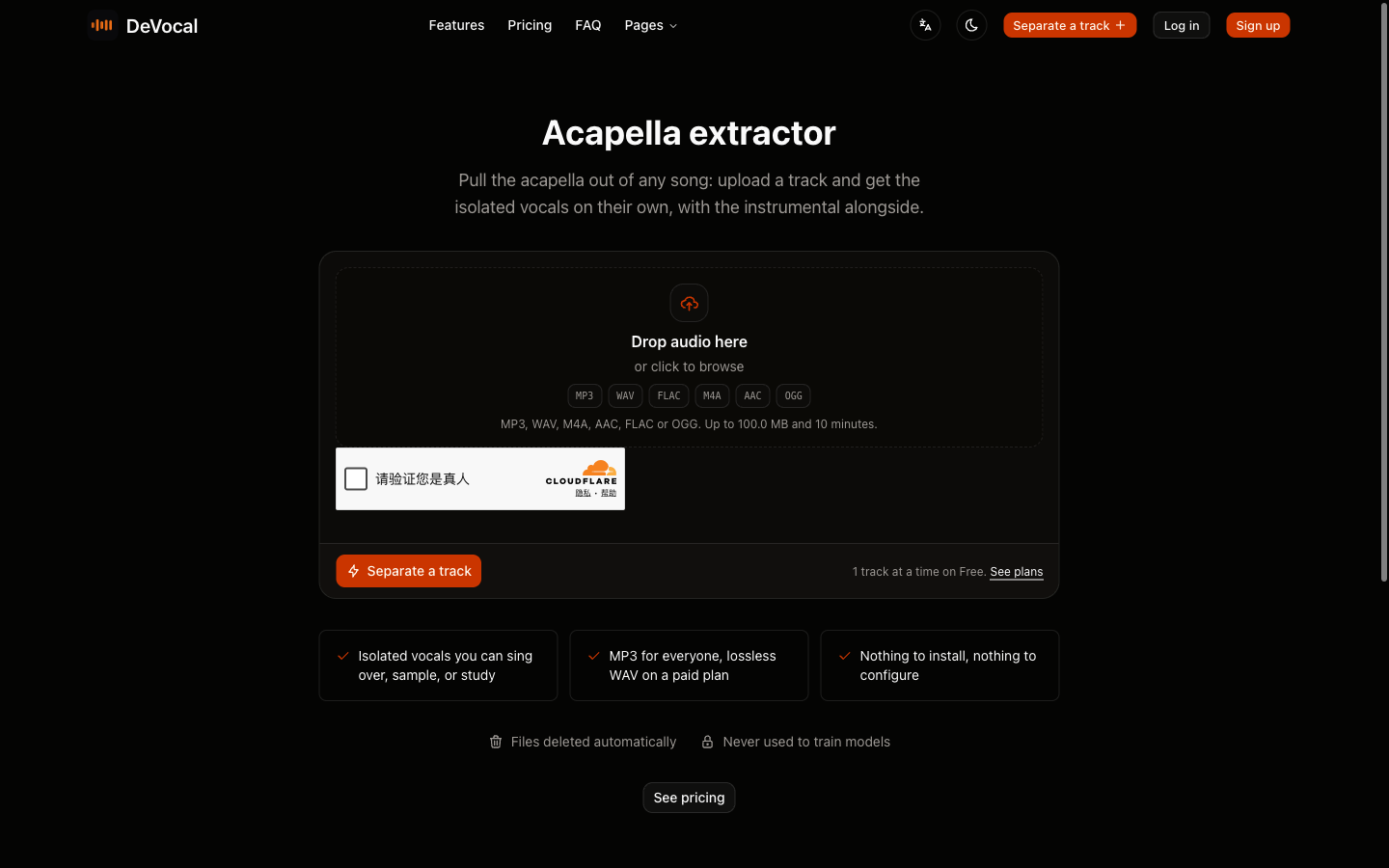
DeVocal streamlines acapella extraction into a fast, browser-based workflow. Follow these steps to generate and download your vocal stem:
Step 1: Check File Format and Length
Ensure your audio file meets DeVocal's input specifications. Supported formats include MP3, WAV, M4A, AAC, FLAC, and OGG, with a maximum file size of 100 MB. Tracks can run up to 10 minutes on standard accounts, and up to 20 minutes on paid plans. DeVocal requires direct file uploads from your device; streaming URLs from YouTube or SoundCloud are not supported.
Step 2: Upload to DeVocal
Navigate to the Acapella Extractor or open the main DeVocal Studio. Drag and drop your audio file onto the upload zone.
Your track uploads directly to protected storage for processing. DeVocal automatically deletes uploaded audio and generated stems, and does not use your files to train machine-learning models.
Step 3: Audition the Vocal Stem
The page shows processing progress and then outputs two tracks: the Vocals stem and the Instrumental stem.
Click Solo on the Vocals track in the browser player. Listen carefully to the intro, verses, and choruses:
- Check the clarity of lead vocal consonants and breaths.
- Notice whether any loud snare hits or guitar transients bled into the vocal track.
- Verify that the volume balance feels consistent across the song.
Step 4: Note Key and BPM for Your DAW
When analysis is available, the completed job header shows a detected musical key (such as "Key G Minor") and tempo (such as "128 BPM"). Use these values as a starting point in Ableton Live, FL Studio, Logic Pro, or Cubase, then confirm them by ear.
Step 5: Download the Vocal Stem
Choose your download format based on your workflow needs:
- Free accounts can download the extracted vocal stem as an MP3 file, ideal for quick arrangement sketches and DJ prep.
- Paid plans unlock lossless WAV downloads, providing uncompressed audio suitable for professional mixing, pitch correction, and mastering.
Polishing Isolated Vocals in Your DAW
Once you import your isolated vocal into your digital audio workstation, applying subtle processing techniques will help blend the stem into your new remix:
- High-Pass Filtering: If you hear low-frequency rumble or kick bleed, sweep a high-pass filter upward until the noise is reduced without thinning the voice.
- Dynamic EQ on Sibilance: If cymbals or hi-hats leaked into loud sections, use gentle dynamic EQ or multiband compression only where the harshness occurs.
- Strategic Gating: Apply a subtle noise gate or manually cut silent sections between vocal phrases. Cleaning out silent pauses removes low-level ambient spill before it hits your master bus.
- Creative Re-Amping and Reverb: Adding your own fresh plate reverb, stereo delay, and chorus over the vocal stem helps mask minor separation artifacts while binding the vocal to your new instrumental groove.
Realistic Quality Expectations and Artifacts
Audio separation is a reconstruction process rather than access to the original studio tracks. A mastered stereo song can still produce audible artifacts after unmixing.
Common acoustic artifacts to anticipate include:
- Flanging or Phase Swirl: High-frequency percussion bleeding into sibilant vocal consonants can create a momentary metallic phase effect.
- Transient Residue: Loud, centered snare hits may leave a subtle thud behind loud vocal words.
- Reverb Attenuation: Dry vocal phrases will sound punchier and cleaner than wet, ambient phrases.
In a full remix, drums, bass, and synthesizers may mask some of these artifacts, but audition the vocal in context before committing to the arrangement.
Troubleshooting Extraction Issues
- Upload Error or Rejection: Ensure your track is under 100 MB and formatted as MP3, WAV, M4A, AAC, FLAC, or OGG. If your file exceeds the 10-minute limit on a free account, trim the audio or upgrade for the 20-minute allowance.
- Harsh Metallic Noise in Vocals: A low-bitrate or repeatedly transcoded source may contribute to this sound. Re-running the job from an original lossless WAV or FLAC source may reduce upper-frequency distortion.
- Vocal Sounds Distant: If the vocal stem sounds washed out, the original song likely used heavy out-of-phase vocal widening. Use your DAW's stereo utility to narrow the stereo width of the vocal track slightly to restore center punch.
Copyright and Legal Clearance for Sampling and Remixing
Use audio you own or have permission to process. Rights vary by song, intended use, and location; obtain permission and any appropriate licences before publishing, distributing, sampling, or publicly performing a remix. This is practical guidance, not legal advice.
Frequently Asked Questions
Can I paste a YouTube or SoundCloud link to extract an acapella?
No. DeVocal does not support link scraping or URL imports. You must upload an audio file stored directly on your computer, phone, or tablet.
Can DeVocal separate lead vocals from backing vocals?
No. DeVocal separates audio into two distinct stems: Vocals and Instrumental. All vocal elements (lead vocals, ad-libs, and backing harmonies) are combined into the single vocal stem.
Can I adjust the song tempo or time-stretch the vocal inside DeVocal?
No. DeVocal does not provide in-browser time-stretching, tempo alterations, or DAW editing tools. Completed jobs report the detected song BPM, but you should import the downloaded stem into your DAW to stretch or warp the vocal to a new tempo.
How long does DeVocal retain my audio files?
DeVocal automatically deletes uploaded audio and generated stems, and does not use your files to train machine-learning models.
Related Guides and Workflows
Continue refining your audio production workflow with these related guides:
- Acapella Extractor Tool: Extract vocal stems directly in your browser.
- Remove Vocals Without Losing Quality: Master the fundamentals of clean instrumental stem separation.
- Find Song Key and BPM: Accurately detect tempo and musical scale for remix matching.
- Transpose Instrumental to Your Key: Pitch-shift backing tracks from minus 6 to plus 6 semitones.
- DeVocal Studio: Upload and audition two-stem separations instantly.